Starting a podcast doesn’t require a studio, an expensive microphone, or a monthly subscription to editing software. Plenty of successful shows began with a laptop, a quiet room, and some patience. This guide walks through how to start a podcast on a budget, covering the equipment, software, and hosting choices that let you launch without spending much money at all.

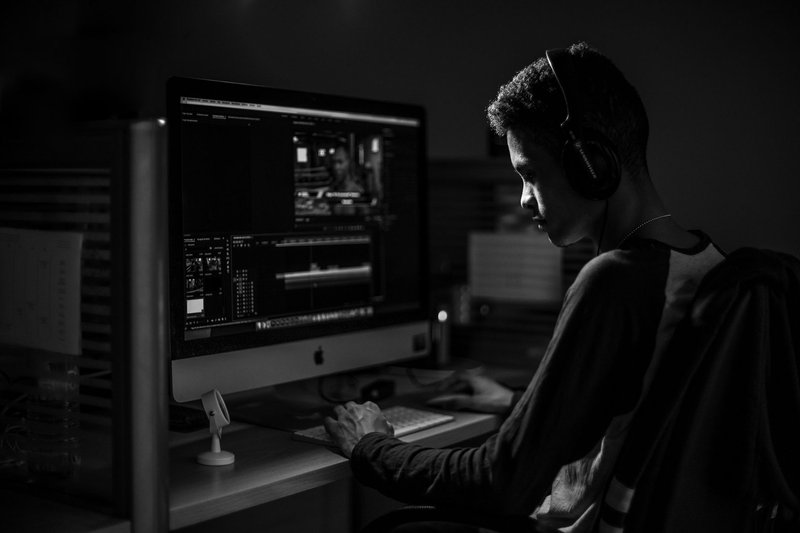
What You Actually Need to Get Started
Before buying anything, it helps to separate what’s essential from what’s nice to have. At the most basic level, a podcast needs three things: a way to record audio, a way to edit it, and a place to publish it. Everything else — branding, a website, fancy intro music — can wait until the show is running and you have a better sense of what it needs.
Microphones That Won’t Break the Bank
Audio quality matters more than video quality for a podcast, since sound is the entire product. That said, you don’t need a professional-grade microphone to sound decent.
- USB microphones in the affordable range plug directly into a computer and require no additional equipment. Models from brands like Fifine, Samson, and the entry-level Audio-Technica and Blue lines are commonly recommended by new podcasters for this reason.
- Your phone’s earbuds with a built-in mic can work in a pinch, especially for a first few episodes while you test the format. The quality won’t match a dedicated microphone, but it’s a reasonable way to start recording before investing in gear.
- Secondhand equipment is worth checking. Podcasting has grown quickly, and many people who bought microphones and never used them regularly resell them at a fraction of the retail price.
If you’re recording with a co-host or guest in person, a single USB microphone with an adapter, or two inexpensive lavalier mics, will usually suffice. For remote interviews, each person should record locally on their own device if possible, since this avoids the audio quality problems that come with recording over a call.
Headphones and a Quiet Space
A basic pair of over-ear or closed-back headphones helps you monitor audio while recording, catching issues like background noise or clipping before they become a problem in editing. You likely already own a pair that will do the job.
The room you record in matters more than most new podcasters expect. Hard, flat surfaces cause echo, while soft furnishings absorb sound. Recording in a closet full of clothes, a small carpeted room, or any space with curtains and cushions will often produce cleaner audio than an empty living room. Some podcasters build makeshift sound treatment using blankets or foam pulled from furniture cushions. It’s not elegant, but it works.
Free and Low-Cost Editing Software
Editing is where many new podcasters expect to spend money, but there are strong free options available.
Audacity
Audacity is a long-standing, free, open-source audio editor available for Windows, Mac, and Linux. It supports multi-track editing, noise reduction, and basic effects, which covers most of what a podcast needs. The interface looks dated compared to paid alternatives, but the functionality is solid, and there are many free tutorials covering exactly how to clean up a podcast recording in it.
GarageBand
For Mac and iPhone users, GarageBand comes preinstalled and offers a more modern interface than Audacity, along with royalty-free music and sound effects you can use for intros and transitions.
Other Free or Freemium Tools
- Ocenaudio is another free, lightweight editor that’s a bit more beginner-friendly than Audacity for simple cuts and adjustments.
- Descript offers a free tier that lets you edit audio by editing a text transcript, which some new podcasters find faster than working with a traditional waveform.
- Riverside and Zencastr both offer free tiers for recording remote interviews, capturing separate high-quality local tracks for each participant rather than relying on call audio.
None of these require a subscription to start, so there’s no need to commit money before you know whether podcasting is something you’ll stick with.
Choosing a Hosting Platform
A podcast host stores your audio files and generates the RSS feed that distributes your show to Apple Podcasts, Spotify, and other listening apps. You cannot upload audio files directly to these platforms; you need a host in between.
Free and Budget-Friendly Hosts
- Buzzsprout, Spotify for Podcasters (formerly Anchor), and Podbean all offer free tiers or low-cost entry plans suitable for new shows. Spotify for Podcasters, in particular, is entirely free and includes basic tools for recording and even monetization once your audience grows.
- Storage limits are the main thing to watch on free plans. Some hosts cap how many hours of audio you can upload per month, which matters if you publish frequently or record long episodes.
- Distribution should be checked before committing to a host. Confirm that the platform automatically submits your feed to the major listening apps, since manual submission to each one is tedious and easy to get wrong.
It’s worth reading a host’s terms before uploading a full season, since some free plans limit how long your episodes stay available or restrict downloads once you hit a certain number of listeners. Reading the fine print now saves a headache later.
Growing an Audience Without a Marketing Budget
Equipment and hosting are the easy part. Building listeners without spending on ads takes more time, but it’s achievable.
Be Consistent Before You Try to Be Big
A regular publishing schedule, even a modest one like biweekly episodes, builds trust with listeners far more effectively than sporadic uploads. Many potential subscribers decide whether to follow a show based on whether it looks like it will still exist in three months.
Use What You Already Have
- Personal networks are the most overlooked growth tool. Sharing new episodes with friends, colleagues, or existing social media followers costs nothing and often produces the first wave of loyal listeners.
- Show notes and transcripts posted online help people find your podcast through search engines, since audio itself isn’t searchable in the same way text is.
- Guest appearances on other podcasts, or inviting guests onto your own show, expose you to an audience that didn’t previously know you existed. This works especially well within a specific niche where hosts are often willing to cross-promote.
Engage With Existing Communities
Forums, subreddits, and social media groups built around your podcast’s topic can be useful places to share episodes, provided you participate genuinely rather than only posting links. Communities tend to notice and dislike accounts that show up only to self-promote.
Conclusion
You don’t need a big budget to start a podcast that sounds professional and reaches real listeners. A modest microphone, free editing software, a low-cost host, and a consistent publishing habit cover the essentials. The parts that cost the most — time, patience, and a willingness to keep improving episode after episode — don’t show up on any price list, but they matter more than expensive equipment ever will.